Reporting & Blocking
How to handle objectionable content or abusive users
Reporting Offensive Content
If you believe user generated content does not adhere to the Terms of Service for the app, you can report it as inappropriate. We will review these reports within 24 hours.
Click “Report as Inappropriate” menu option
You can report offensive content by long-pressing the content. A menu will come up with the option to “Report as Inappropriate”:

This menu is available for all hangout cards as well as messages in hangout-related chats: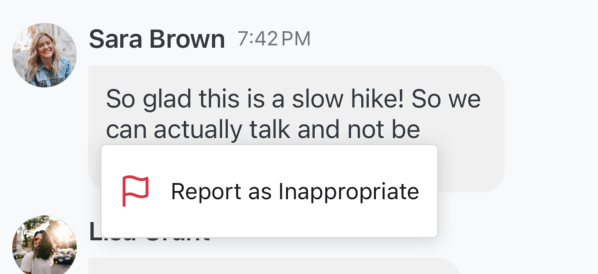
You can also access this menu to report an inappropriate hangout with the “…” in the upper right hand corner of the hangout details page:
Provide details and submit report
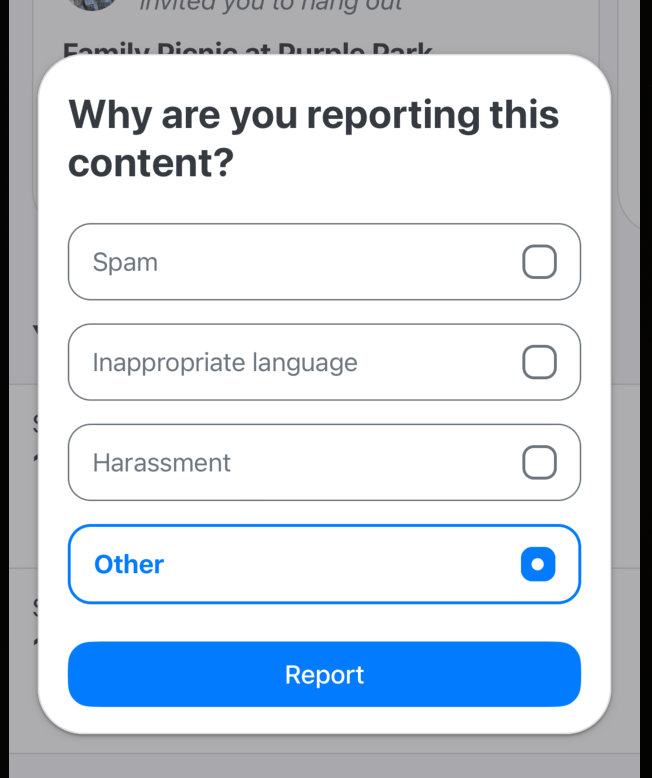
After clicking “Report as Inappropriate”, you will be asked for details on why you are reporting this content as inappropriate. Select the most relevant option and click “Report” to submit the report.
Blocking Users
Blocking another user will:
Prevent them from seeing your created hangouts
Prevent you from seeing theirs
Hide all messages sent by that user in shared hangout chats
If you would like to block another user, you can do so within the app.
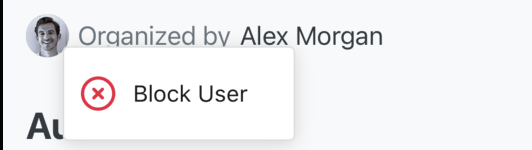
Long-press the name or profile picture of the user you wish to block and select “Block User”:
Confirm that you would like to block them: